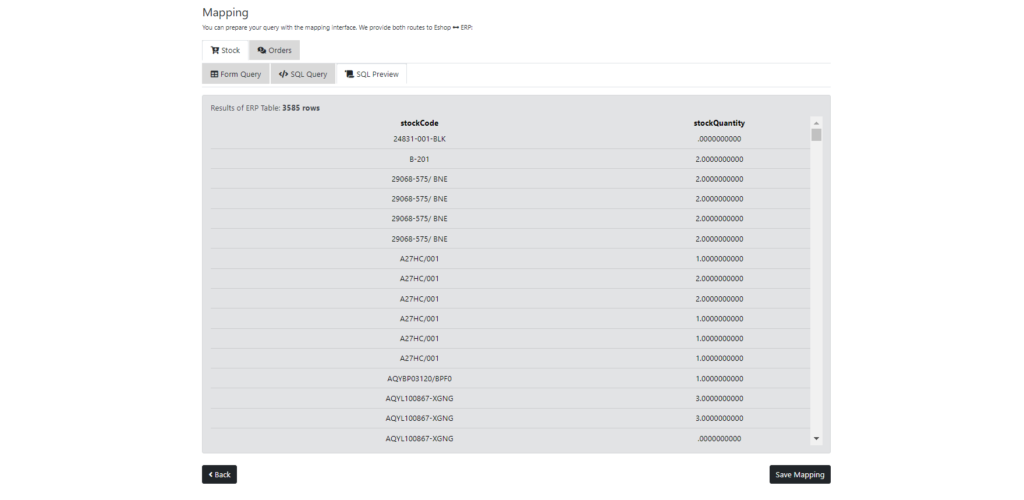
In case you have activated the stock module in the settings, create the corresponding mapping you need to pull the required information from your erp system. Essentially, this mapping makes a SELECT query on the table of your erp database and fetches the required information you requested to update your Ε-shop.
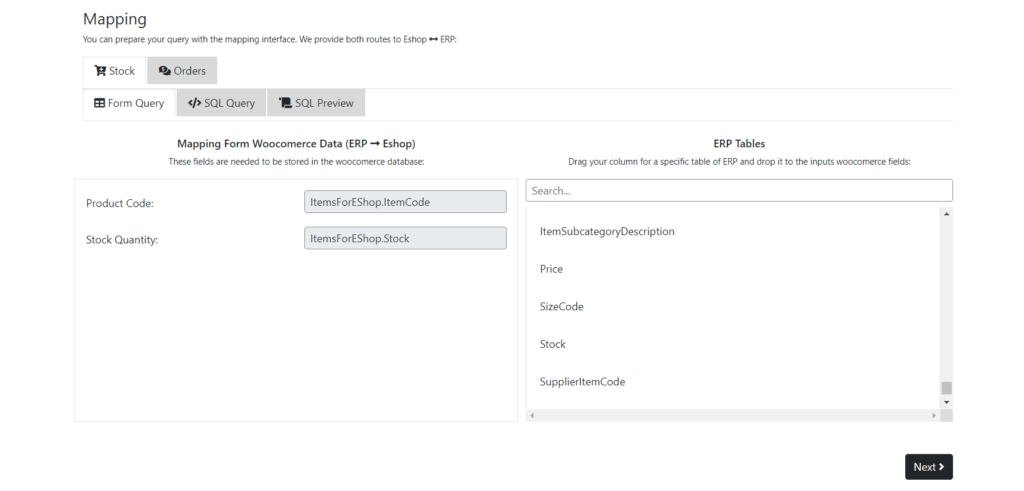
Step 1: After finding which table you want to collect information with the help of the search field, drag and drop the corresponding columns of the table to the input fields and press Next Button.
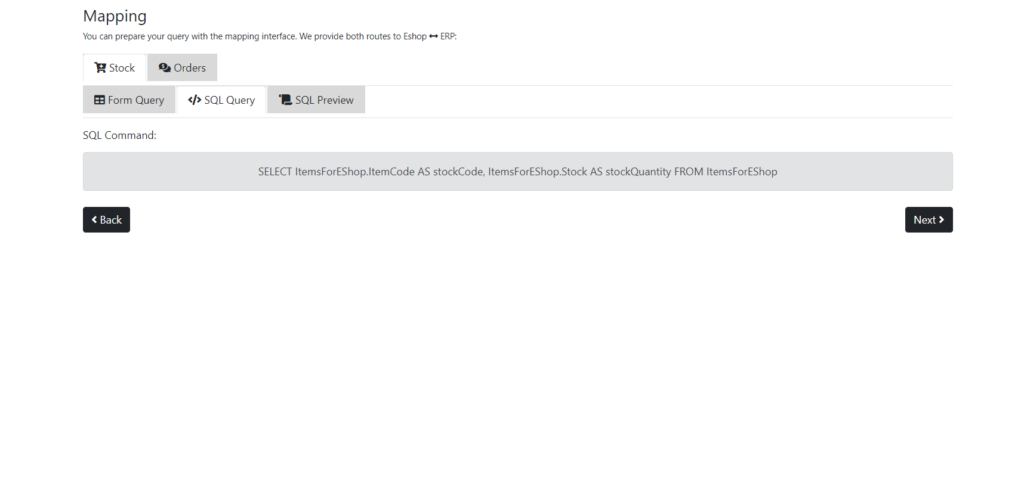
Step 2: In this part we see the data that will be pulled. Specifically, we see the SQL query that will be executed in the erp database table. if you agree with the query you can continue the process and press Next Button.
Step 3: In this step you can see the result that the query you make before. By pressing the test query button you can see the result. Then press save mapping and in this way your stock will be renewed based on the mapping you made last time.