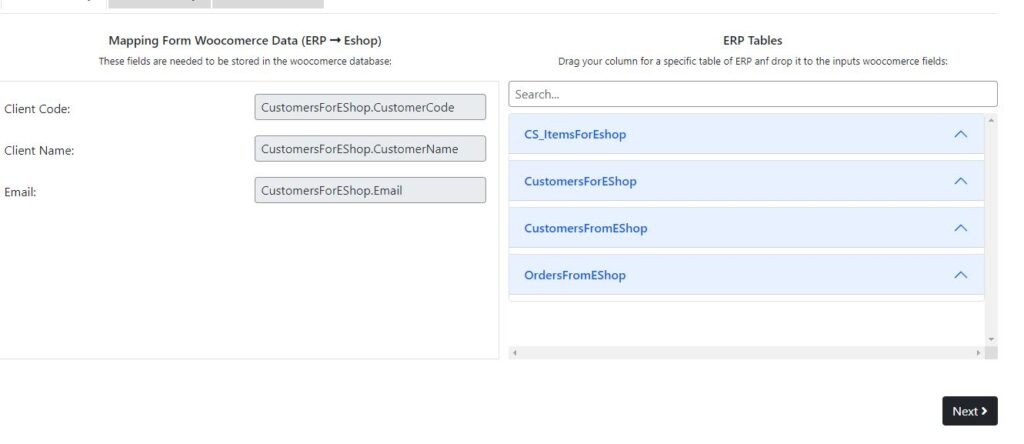
Creating a mapping for update_clients module is really simple and straight-forward. Simply drag the appropriate ERP fields from the Table list on the right and drop the column to the field you wish to map.
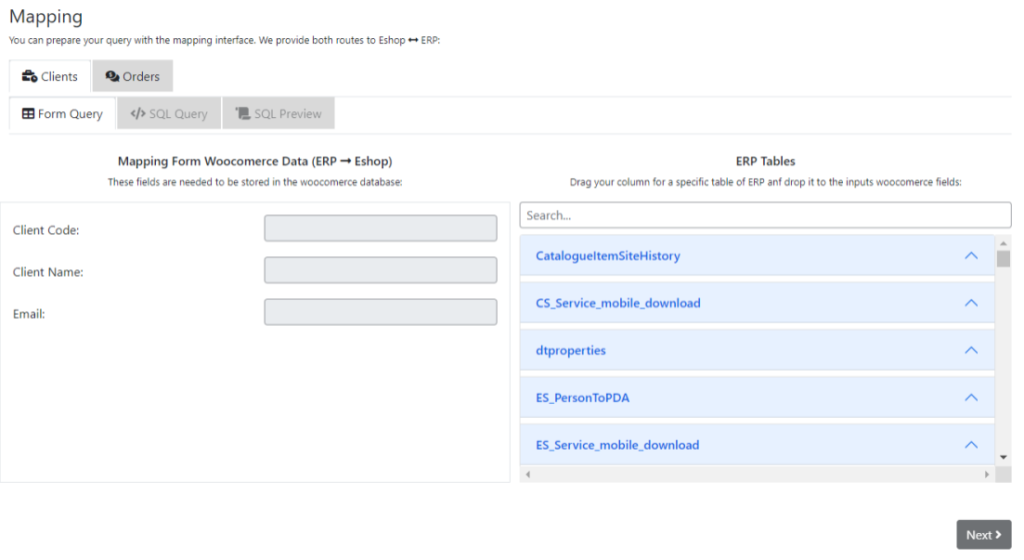
When all of the required fields are filled, the Next button will be activated and you can proceed to the next screen.
If the query contructed by your selection is the one you wished to create, simply press Next again to proceed to the test query area.
In the test query area, when you click the Show query button a test call in the ERP will take place and display the content returned by the query with real data. If the response is the one you want, please proceed to save the mapping for this module. If successful, a checkmark will appear and the system will redirect you back to the initial mapping screen.
Fields: #
Client Code: This field corresponds to the display name user field
Client Name: This field corresponds to the user_nicename field in user fields
Client Email: This field must contain a unique email, because the WordPress system relies to this unique identifier to differentiate between clients.