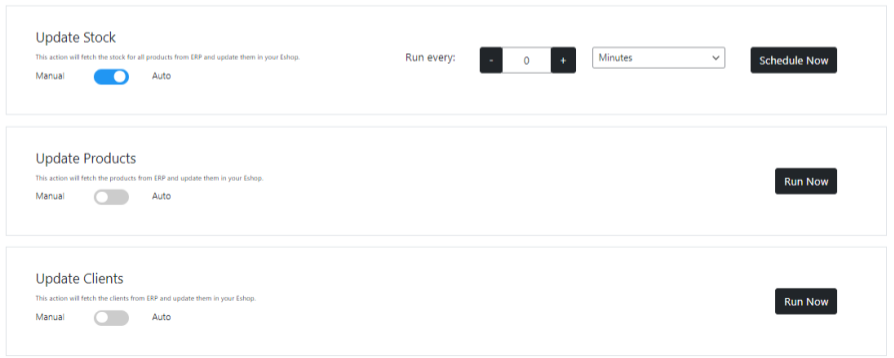
Below the cron info table you have 2 options for each module. You can choose to run the cron now, once, or change the crons schedule.
Run Now: #
By clicking a modules run now button you activate the function responsible for that particular module and cron job. The job will run and the spinner will disappear when the operation has concluded. Please refresh the page if the the operation is taking too long.
Schedule Now: #
By switching the switcher to Auto, you have the option to change the crons recurrence. You can choose the unit of time you desire from the select dropdown and using the add or minus button, set the desired frequency. This operation takes place instantly and the new recurrence will appear in the info table immediately.